Let people rate your tool, right where they use it.
There are two ways in. You can paste a small “Rate this tool” button onto your page and be done in a minute, or use the API and design it your own way. Either way, every rating lands on R8rly, alongside everyone else’s.
Paste two lines.
Put these where you’d like the button to sit — a toolbar, a header, or the row of links in your footer. Swap in your tool name and the key we send you.
Step-by-step placement, theme options and a before-you-finish checklist are in the install guide — written so you, or an AI helper, can follow it line by line.
Choose your website platform
- Any website / HTMLPaste the two lines where the button should sit. Any plan.
- WordPress & WooCommerceA Custom HTML block. WordPress.com needs Business or higher.
- ShopifyCustomize → Add section → Custom Liquid. Any plan.
- SquarespaceA Code block. Core or higher (older: Business or higher).
- WixSettings → Custom Code on a Premium plan, or an Embed HTML box.
- No code (link & QR)Your rating link and an accessible QR code — for any plan, email or print.
Once your key is approved, your email links to an install page with your own code already filled in.
The pill appears — in your colours
A small “Rate this tool” pill. Hover or tap it and a little card opens. It follows your page’s own light or dark switch, the moment someone flips it.
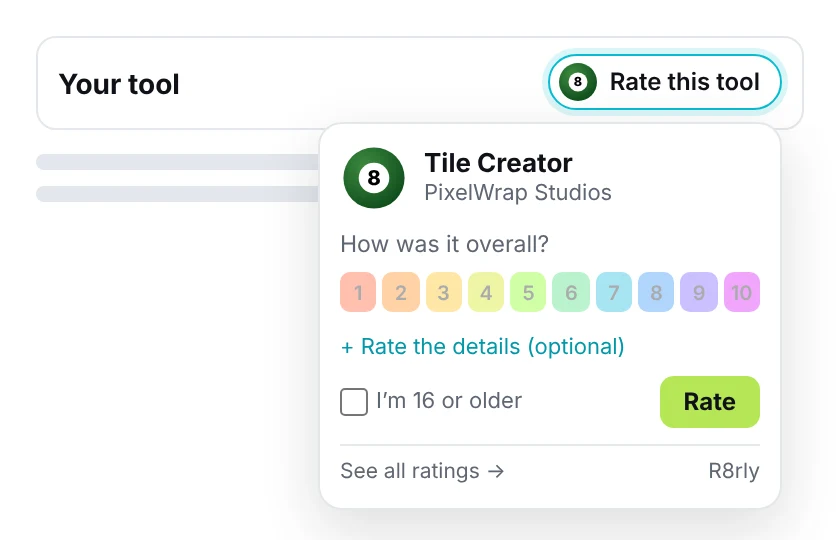
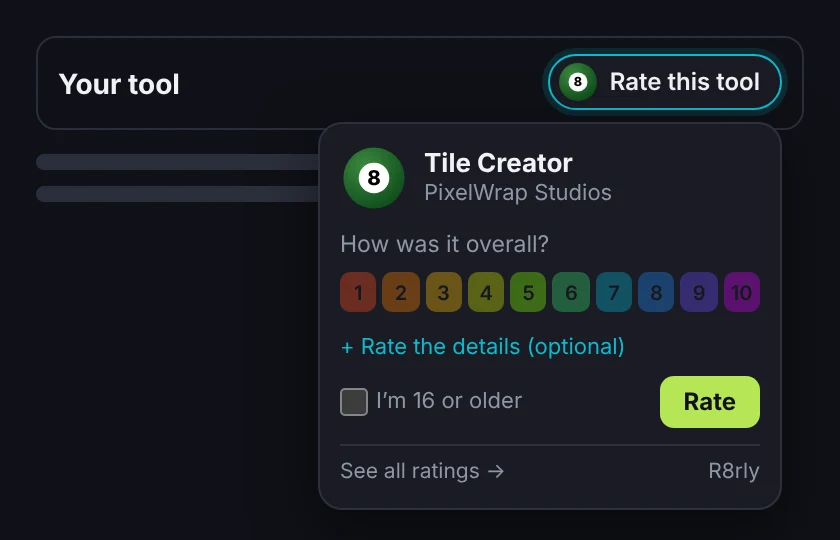
Ratings show on R8rly
Every rating joins your tool’s R8rly page. The score ball appears once there are ratings, and the number of ratings shows from 100 on. “See all ratings” always links back.
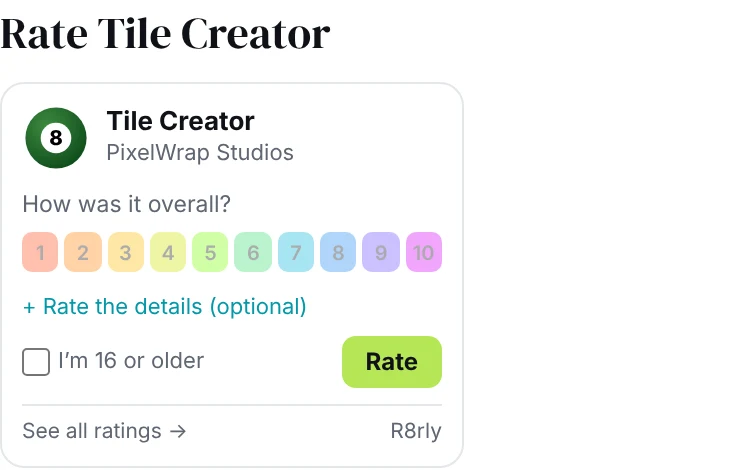
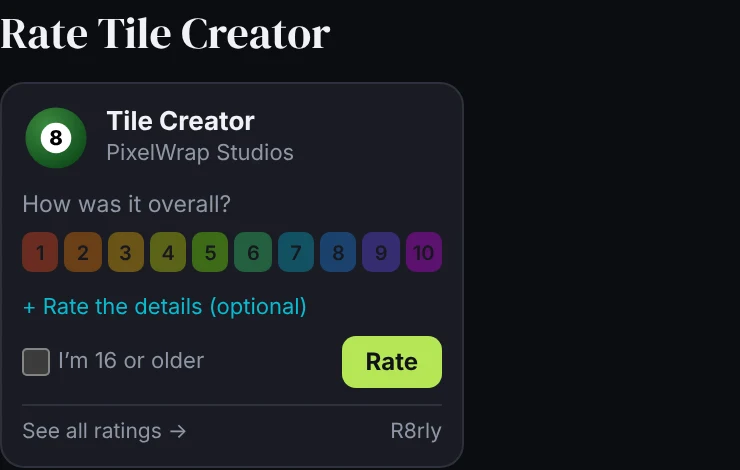
Build your own.
If you’d rather design the button and card yourself, the API gives you the same two things the widget uses: a tool’s score, and a way to send a rating.
API reference
Base address: https://r8rly.com/embed/api/. Responses are JSON (UTF-8). Every refusal has an error code and a message that’s safe to show to people.
Get a score — GET score.php?tool=<slug>
- Without a key it’s a public, read-only answer. You can call it from your own server, or from a browser on r8rly.com or a registered partner address. Answers are cached for up to 60 seconds.
- With
&key=r8pk_…, called from a browser on one of your registered addresses, the answer also carriestoken— a signed form token forrate.php. It’s valid for 2 hours and can’t be used in the first 4 seconds.
| Field | What it is |
|---|---|
tool | slug, name, owner, url (the tool itself) and page (its R8rly page — link here) |
overall | 0–10 with one decimal, or null when the tool has no ratings yet |
count | Number of ratings — only present from 100 ratings |
axes | The eight axes: code, name, and score once rated |
token | Only with a valid key from a registered address |
A real answer, for a tool with no ratings yet:
Send a rating — POST rate.php
Send a JSON body (as Content-Type: text/plain to skip the CORS pre-check, or application/json). It must come from the visitor’s browser on the address the token was issued to — ratings can’t be posted from a server.
| Field | Required | Notes |
|---|---|---|
token | Yes | From score.php with your key |
axes | Yes | 1–8 of {"code","score"}; score 0–10 (one decimal). Codes: does_what, ease, output, speed, value, reliability, support, export |
age16 | Yes | Must be true — ask “I’m 16 or older”, never pre-ticked |
device | Yes | 32–64 lowercase hex characters you create once and keep in the visitor’s browser (for the one-per-device rule) |
email | No | Optional; used only to verify the rating later, never shown |
website | No | Leave empty — it’s a spam trap |
Success: {"ok":true,"overall":…} — overall is the tool’s updated score (one decimal), or null.
Refusals
| Status | error | When |
|---|---|---|
| 400 | tool_not_found · bad_payload · bad_score · no_scores · unknown_axis · age_required · bad_email · expired | Something in the request isn’t right, or the token is over 2 hours old |
| 403 | bad_key · bad_origin · tool_not_allowed | Key unknown or inactive, page address not registered, or tool not on your key |
| 404 | tool_not_found | No Digital Tool by that name |
| 429 | too_fast · already_rated · ip_limit · partner_limit | Sent within 4 seconds, already rated from this device, or a daily limit reached |
| 503 | unavailable | R8rly couldn’t answer right now — try later |
Keys, addresses and CORS
- Your
r8pk_key is publishable: it’s safe in page code, because it only works with the addresses on your account (for examplehttps://yoursite.comandhttps://www.yoursite.com) and only for the tools on your key. - Browsers can only read our answers from r8rly.com and from registered partner addresses — there’s no wildcard.
- Limits: one rating per tool per device every 30 days; 10 ratings per connection per day; 300 ratings per site per day.
- We never store raw IP addresses or device ids — only one-way hashes.
Display rules
The widget follows these for you. If you build your own, please follow them too — they’re what keeps R8rly ratings trustworthy everywhere they appear.
- Ball only when rated. Show the rating ball only when
overallisn’t null. Until then, show the R8rly 8-ball — never “not rated yet” or “be the first to rate”. - No small counts. Show a number of ratings only when we send
count(from 100). Never show a smaller count. - Score as given. One decimal, ringed in the Colour Rating Scale. Don’t round, restyle into stars, or hide axes you don’t like.
- Always link back. Link to the tool’s R8rly page (
tool.page), for example “See all ratings”. - Ask everyone, reward no one. Don’t offer anything for a rating, and don’t show the button only to happy users.
- 16 or older. Ask it plainly and never pre-tick it.
- Small and out of the way. A pill or a link — never a big block, and never in the way of your tool’s own controls.
Request a key
Tell us a little about your site and tool. A person reviews every request; once it’s approved we email your key and your ready-to-paste lines.